
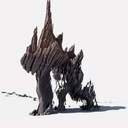



In this tutorial by Nathan Duck (Ducky 3D), we will learn how to create a mograph-style loop animation in Blender. We will be using Blender’s Geometry Nodes, to achieve a similar motion design effect to the Cinema 4D one done in Mograph, to create a series of animated objects that move together as a single unit.
In this tutorial, we’ll look at how to create Geometry Nodes, which is a really easy way to add some dynamics and randomness to your animation. The reason we are using Geometry Nodes instead of a regular shader is because it will allow us to have infinite loops and object randomization.
Infinite Loop in Geometry Nodes (Blender Animation Tutorial)
Blender’s geometry nodes can be used for many types of procedural modeling.
Blender’s geometry nodes can be used for many types of procedural modeling. You can use these to create interesting effects like fractal elements, smoke, fire, water, and clouds. They can also be used to make complex textures that would take hours in other programs.
I hope this helps you get started with your abstract loop using geometry nodes in Blender. This is a really simple process, and it will save you time on your next project!

London-based Motion Design Director specializing in 3D animation and digital compositing, founder of 3DArt and producer of award-winning films.
Emanuele Serra →


